The Antseed seller dashboard is live

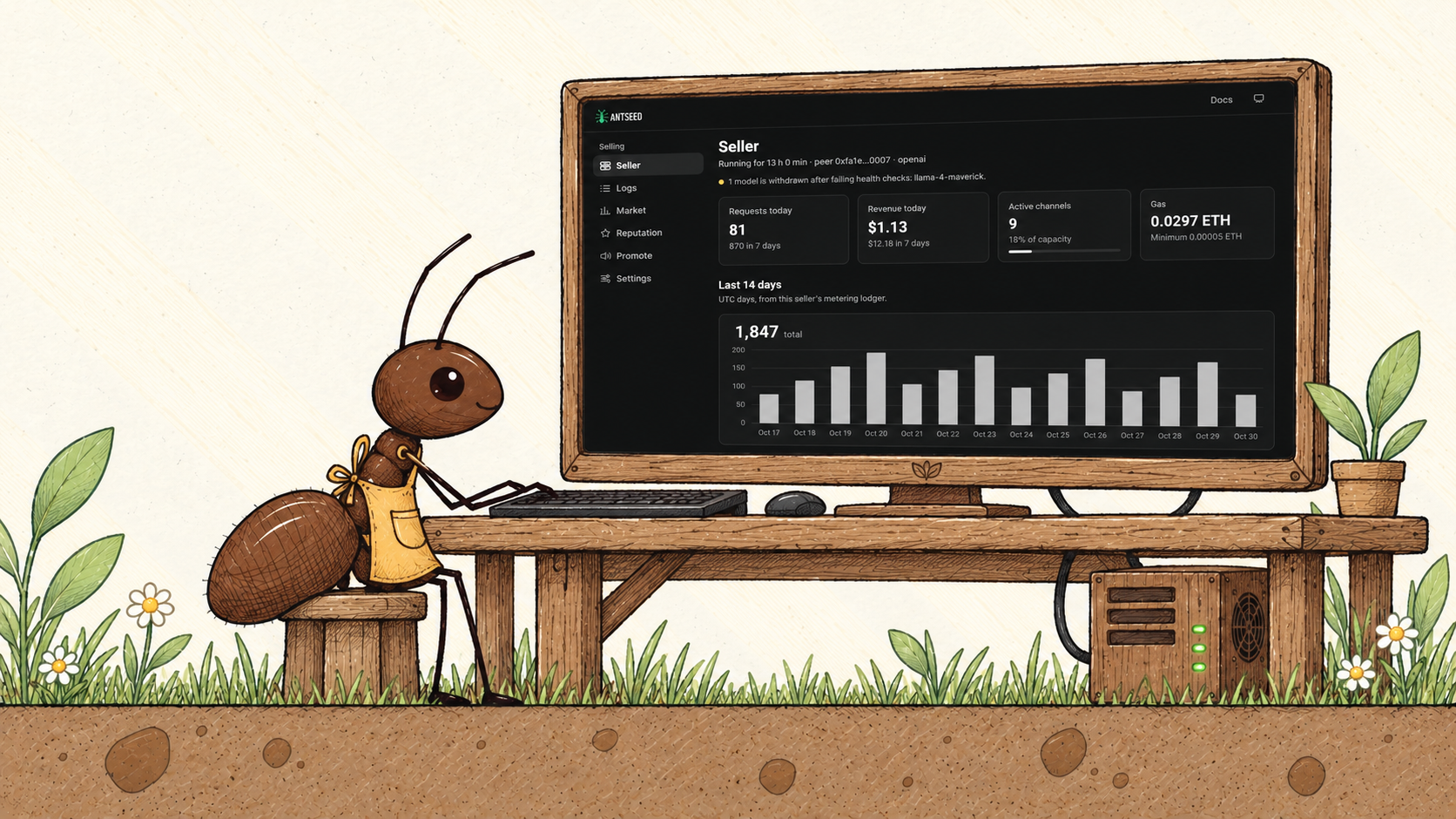
The Antseed seller dashboard is live.
We want more people to have a chance to build an AI service of their own. A developer with a specialized model or a small team serving a community should have the tools to turn their expertise into a service people can rely on.
Getting a model running is only the beginning. Keeping it reliable and serving buyers takes ongoing work. Large providers have teams and tools for that. Smaller providers need those tools, too.
That’s where this dashboard comes from: a professional place to manage your service. It’s the first phase of our local AI platform, built to help millions run their own models and offer them to the world through Antseed.
Someone starting with one machine today should have room to build something bigger.
Track earnings, manage models and pricing, inspect requests and get alerts when something needs attention.
Open your dashboard
On the machine where your seller is configured, run:
antseed seller dashboard
The dashboard opens in your browser. If your seller runs on a remote server, follow the connection instructions.
Here’s what you can do. The screenshots below use sample data.
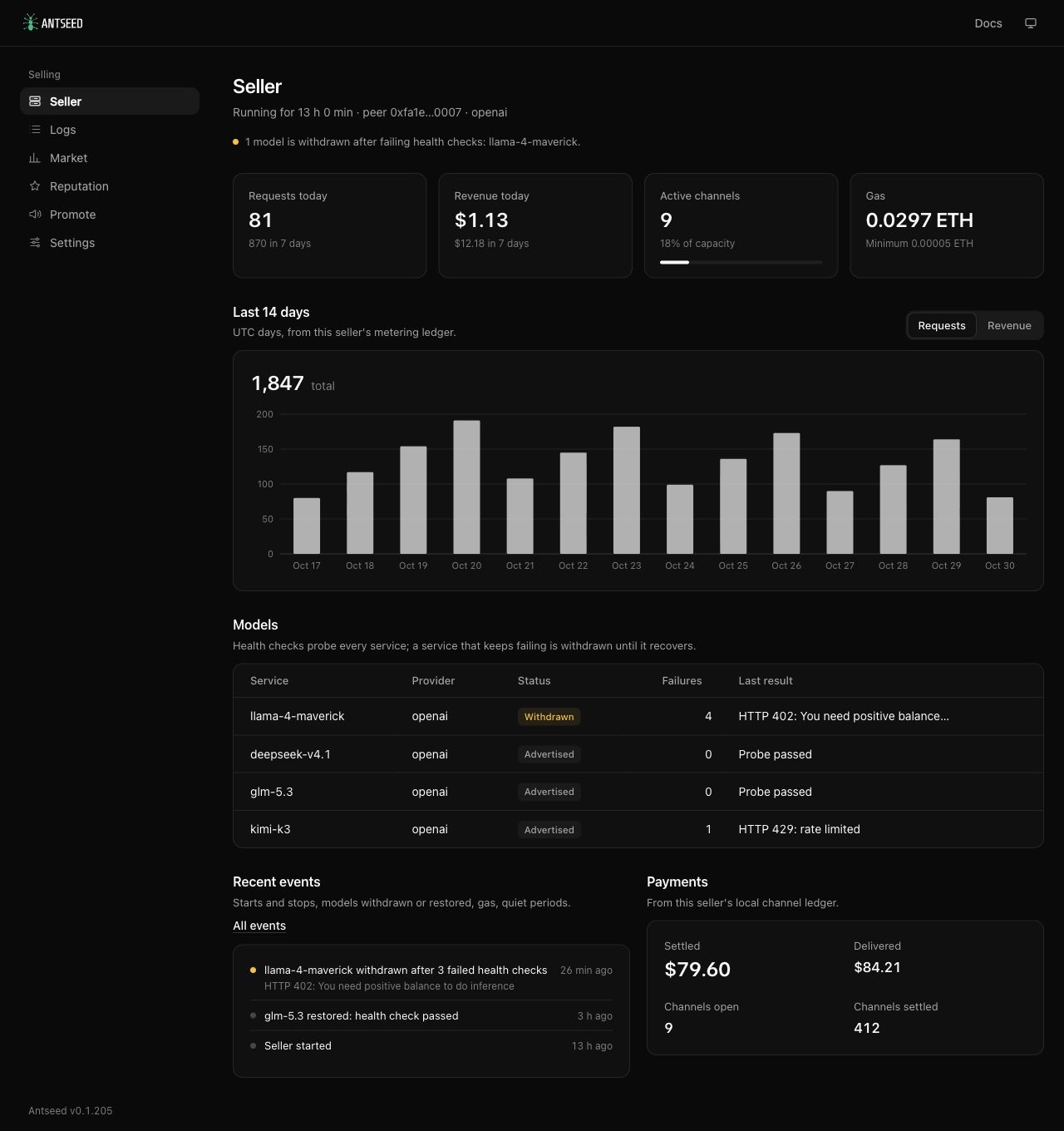
See your earnings and check that your models are working
Open Seller to see how your service is doing:
- Check today’s earnings and requests.
- See how your activity has changed over the past 14 days.
- Check which models are available and which have errors.
- Review your payments and the ETH available to cover transaction fees.
Understand what happened with each request
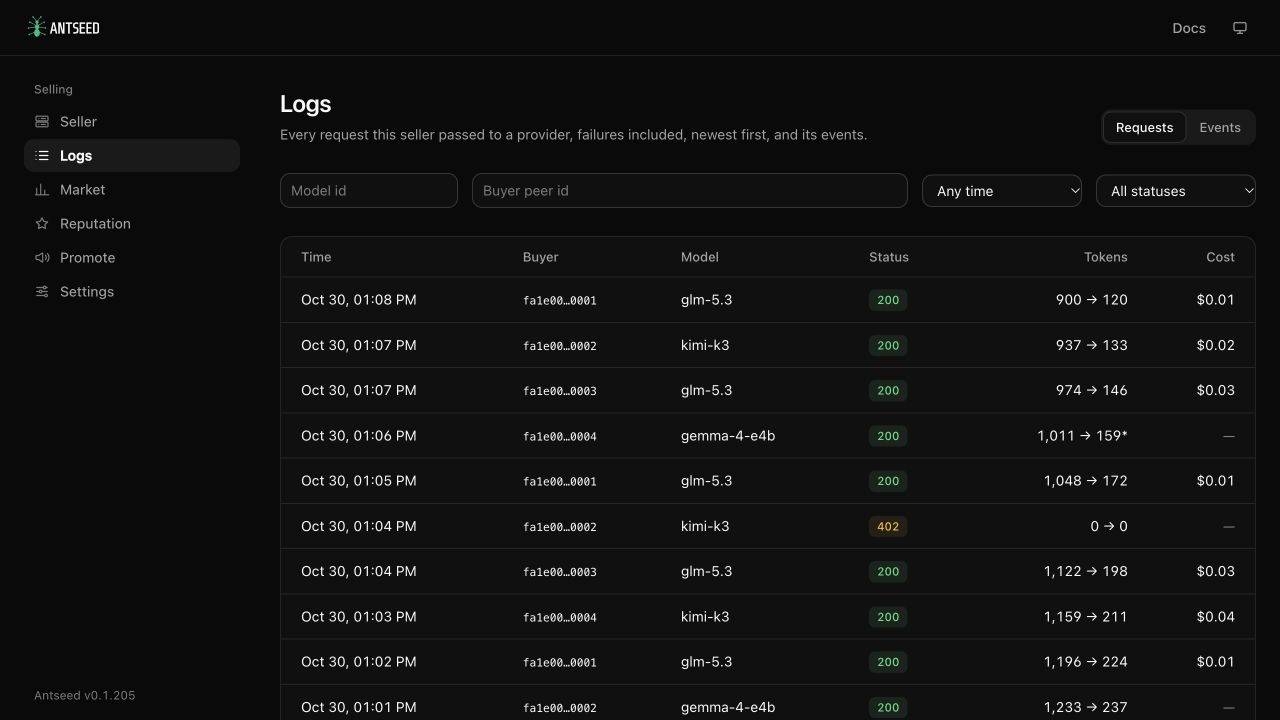
Open Logs to see requests your seller sent to a model, including those that failed.
You can:
- Filter by model, buyer, time or failed requests.
- Open a request to see how long it took and how much it cost.
- Check how many tokens it used.
- Read error details to help find what went wrong.
Compare your prices with other sellers
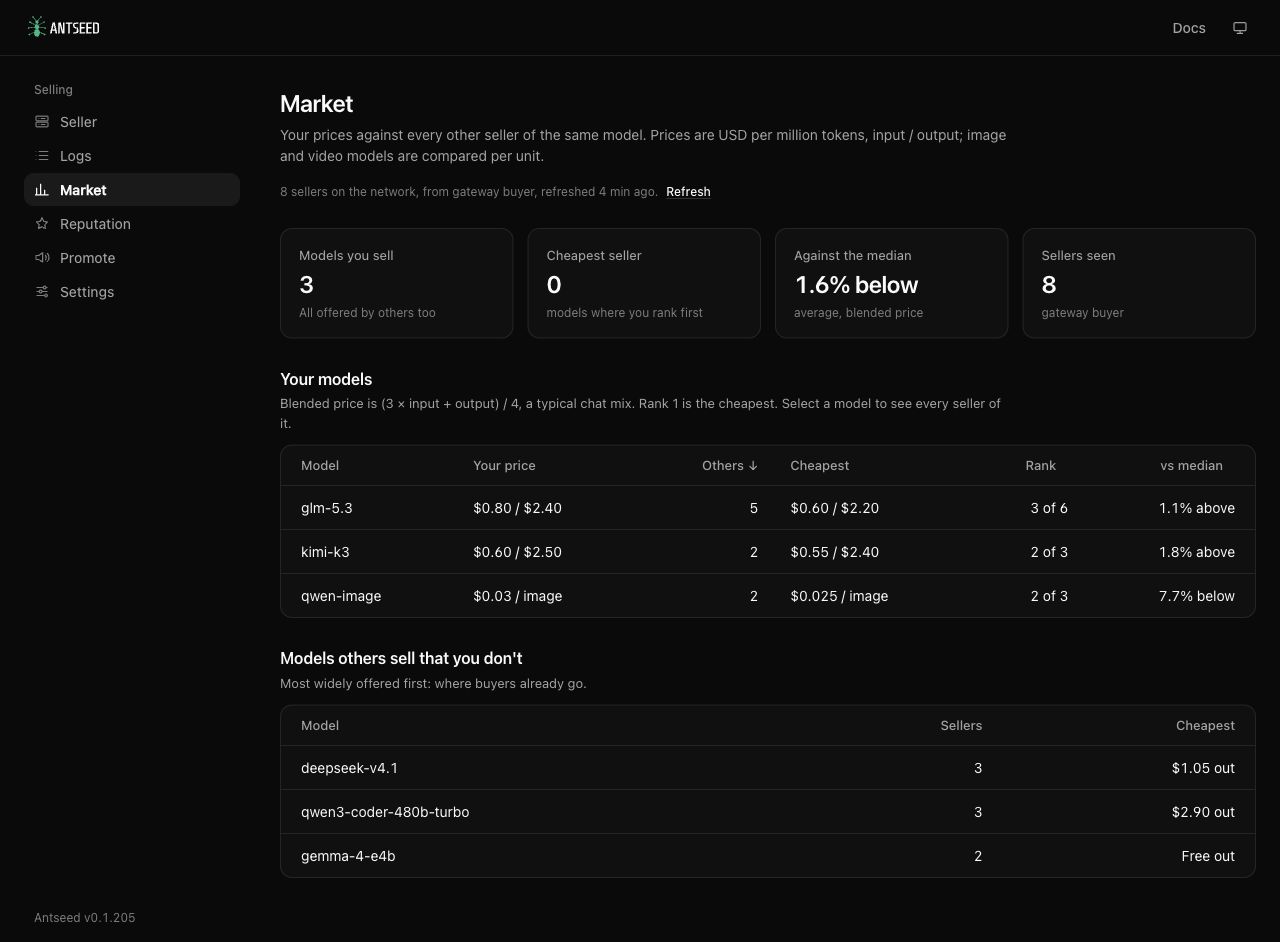
Open Market to see what other sellers charge for the same models.
You can:
- Compare your price with the lowest and middle prices on the network.
- See where your price ranks.
- Browse other sellers’ offers.
- Find models on the network that you don’t offer yet.
Choose Edit your price to jump to that model’s pricing settings.
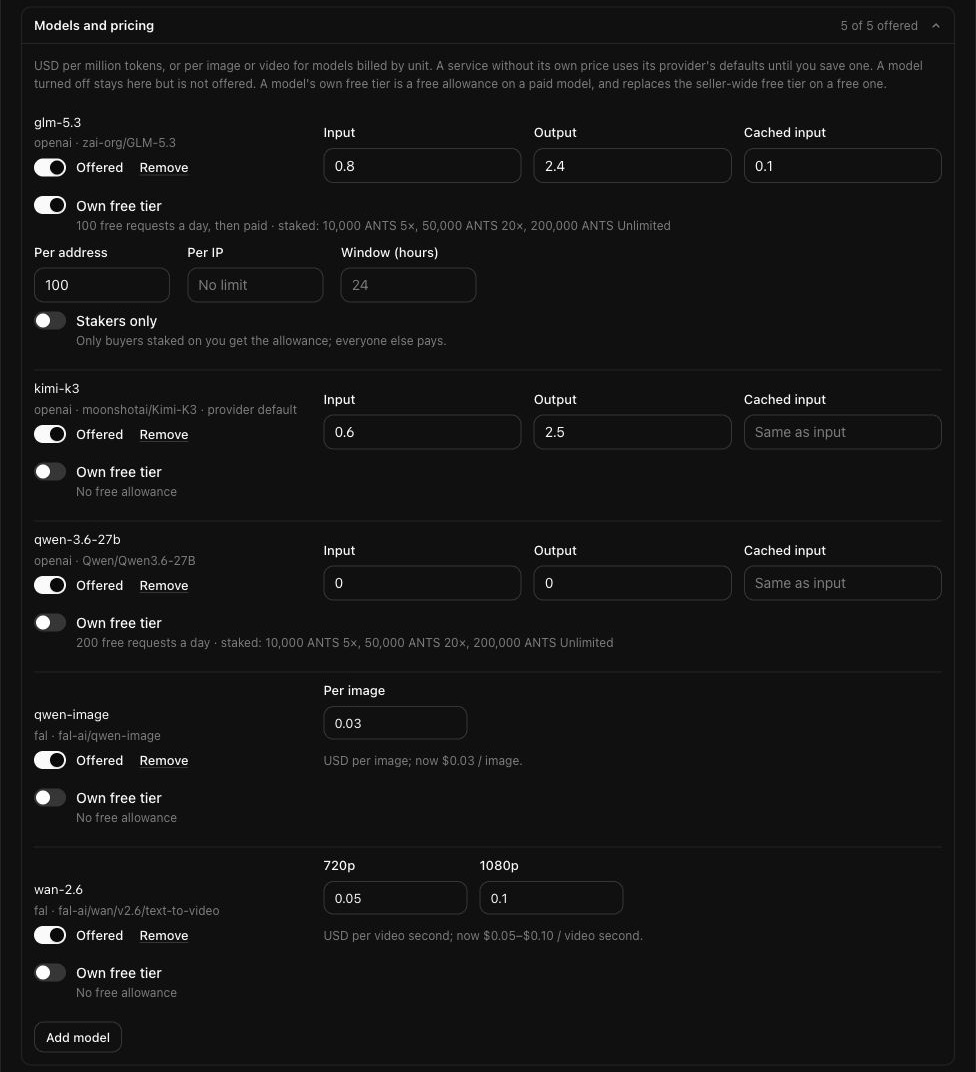
Choose your models, prices and limits
Open Settings to manage what buyers can use.
You can:
- Change the price of each model.
- Turn individual models on or off.
- Add models priced by token under a provider you’ve already configured, such as your local model server.
- Adjust prices for image and video models you’ve already configured.
- Set free usage allowances, including allowances for buyers who stake ANTS.
- Limit how many buyers your seller can serve at once.
Some changes need a seller restart before they take effect. The dashboard shows when a restart is needed and provides a restart button when your setup supports it.
Get notified when something needs attention
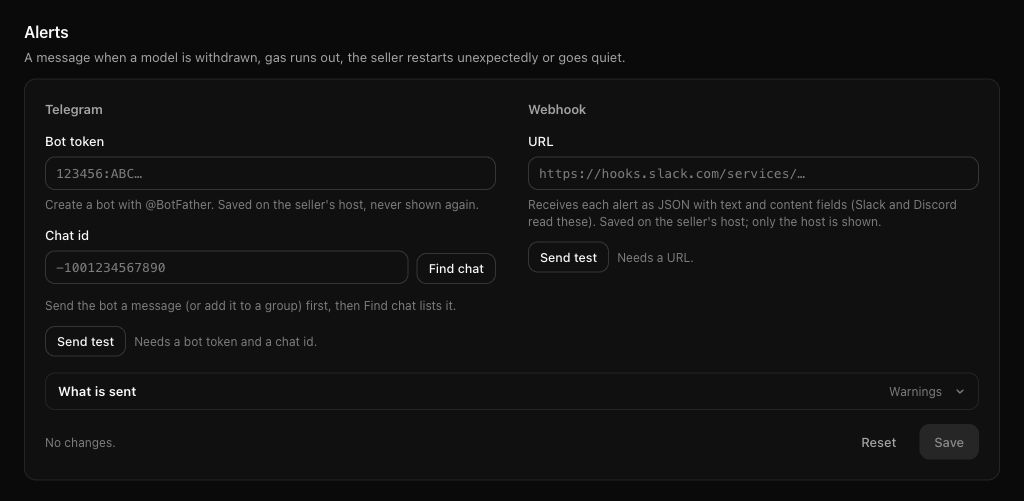
Connect Telegram or a webhook in Settings → Alerts to receive notifications when:
- A model stops responding and is temporarily removed from your available models.
- An external AI service you use is running low on credit or runs out.
- Your seller’s wallet needs more ETH to cover transaction fees.
- Your seller restarts after an unexpected shutdown.
- No requests arrive for a period you choose.
Choose whether to receive all notifications, warnings or only critical issues. Set how long your seller can go without requests before an alert is sent, and how often alerts repeat. For external services that report their credit balance, you can also choose when to receive a low-credit warning.
You can receive notifications when problems are resolved, too.
Send a test notification to check your setup. Once configured, alerts keep working while your seller is running, even with the dashboard closed.
See what affects your reputation
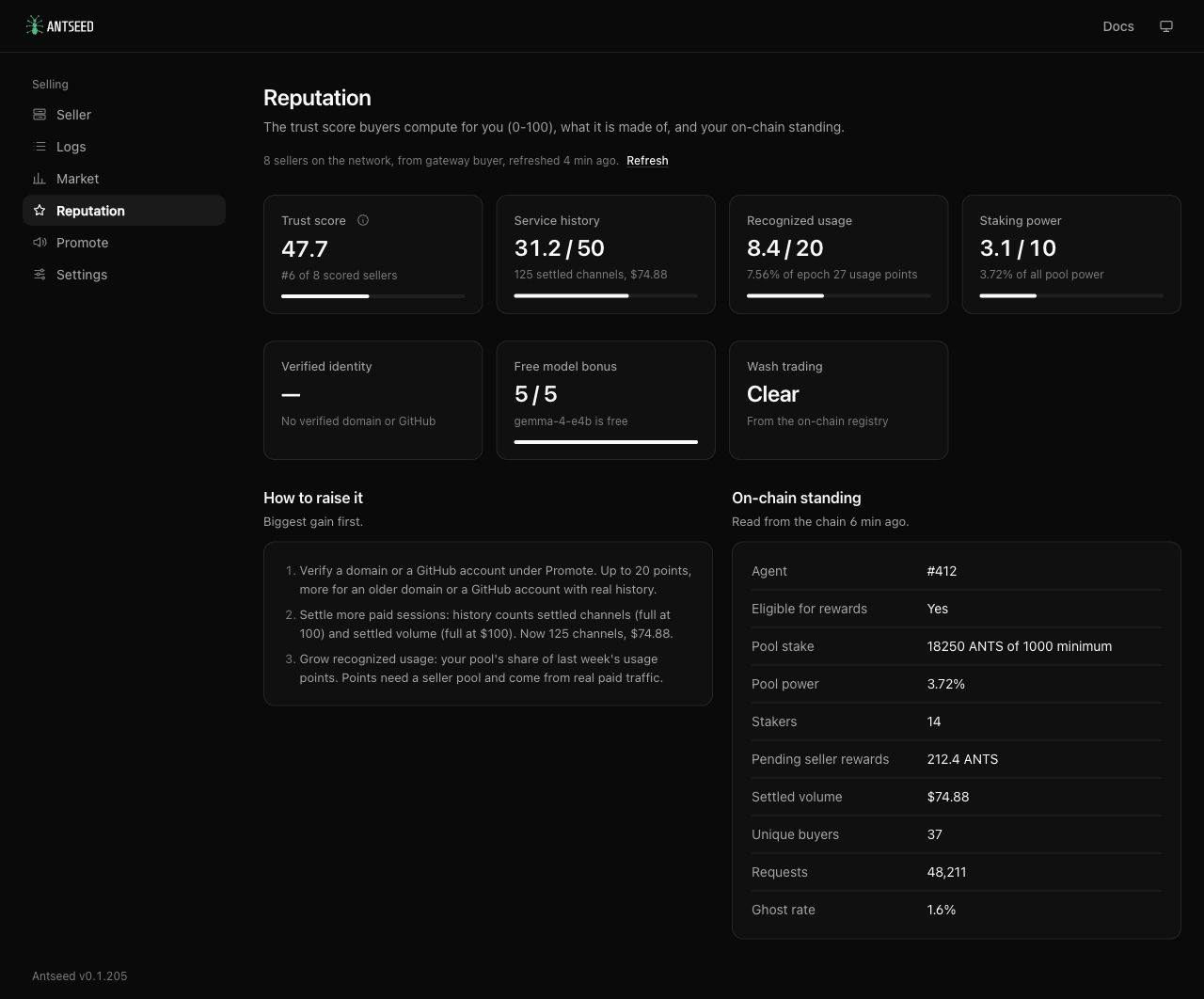
Open Reputation to understand how your seller builds trust on the network.
You can:
- See what contributes to your trust score.
- Find actions you can take to improve it.
- Check your staking pool’s standing and pending rewards.
Help buyers find and use your models
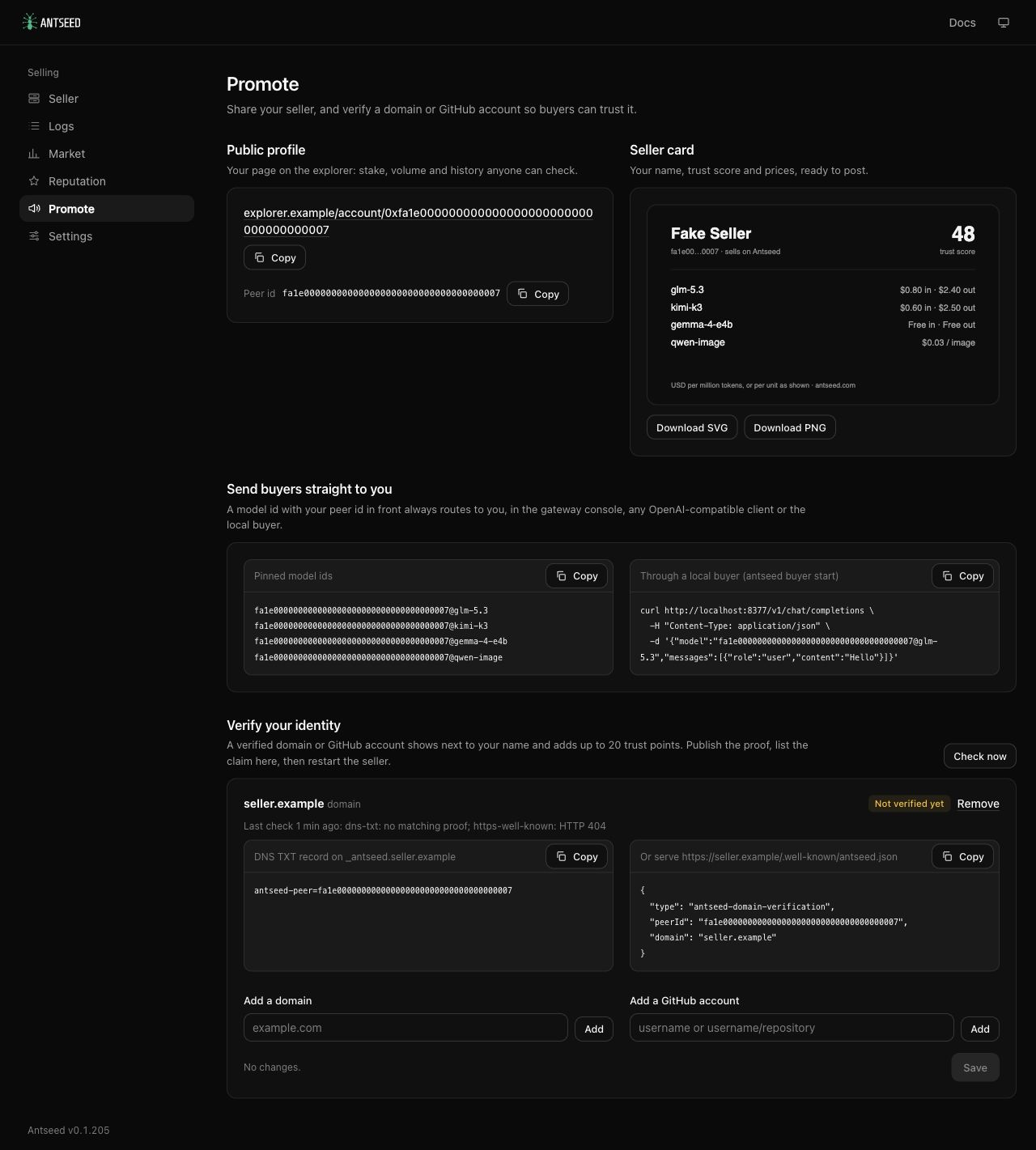
Open Promote to share your seller and give buyers a direct way to use your models.
You can:
- Copy a link to your public seller profile.
- Download a seller card to share.
- Copy model IDs that direct requests specifically to your seller.
- Prove ownership of a domain or GitHub account to add verification to your profile.
Try it and tell us what you think
Already offering models on Antseed? Open the dashboard and explore your earnings, prices and settings.
If you want to start offering a local model, follow our local model guide.
For setup instructions and more detail, see the dashboard and monitoring guide.
This is our first phase. Try the dashboard and tell us what would make running your models easier.
Join the Antseed providers channel on Telegram to stay up to date with new features, improvements and announcements.